

Parker AI
Ten AI assistants · inside your ERP

The AI that knows your business.
Because it lives inside it.

Ten assistants, one for each job: sales, the kitchen, purchasing, the warehouse, documents, allergens, payroll and the ERP itself. They know your events, your recipes, your suppliers and your stock in real time, and they work for you on the computer and on your phone. You talk to it, it prepares the work and you confirm.
Get your proposal See the assistants in action
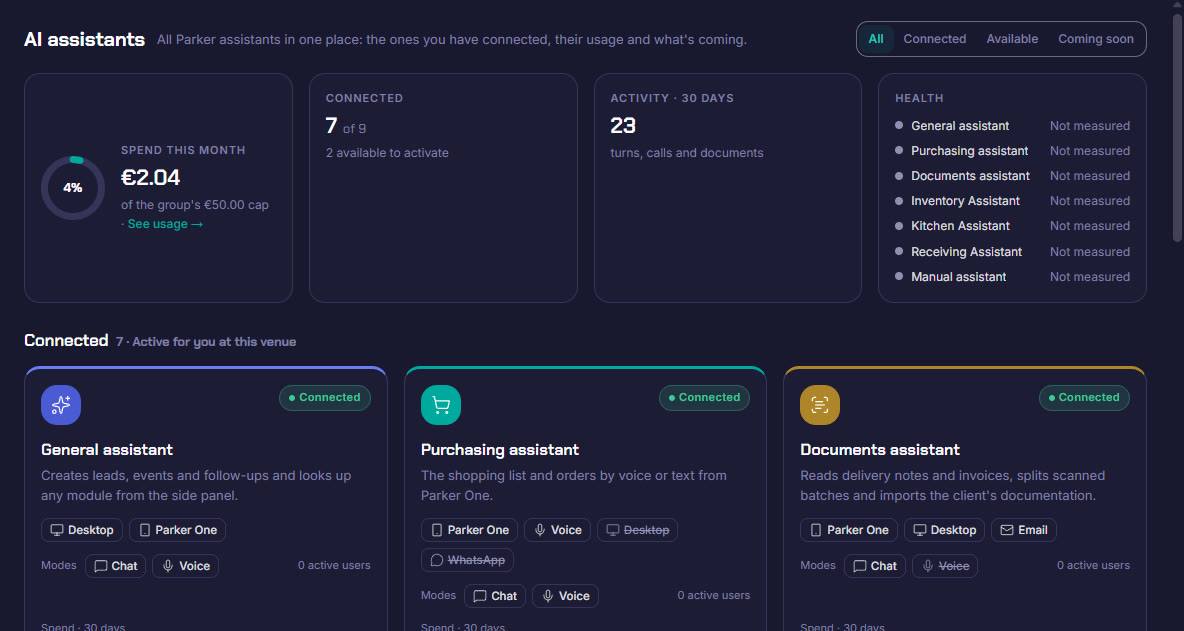
Parker AI dashboard showing the connected assistants, their spend and their activity
Why inside the ERP

An assistant inside the ERP doesn't add. It multiplies.

Fashionable AI answers questions. Parker's knows which events you have on Saturday, what is missing from the warehouse and what each supplier charges you, and leaves the work done for you to confirm.

01It knows your dataIt reads from the same database as the rest of Parker, in real time: events, clients, recipes, purchasing, stock and staff.
02It does the workIt doesn't just answer: it adds to the shopping list, turns it into an order, costs a recipe, counts the warehouse or creates a lead.
03It respects your permissionsEach person only sees and creates what their permissions and their site's modules allow.

A generic AI chat

  • Knows nothing about your events or your prices
  • You copy and paste data from one place to another
  • It gives you text, and you still do the work
  • Anyone sees anything

Parker's assistants

  • Work with your real data, instantly
  • You speak or type from your phone, in the cold room or in the kitchen
  • Leave the order, the recipe or the stock count ready to confirm
  • With each person's permissions and everything logged
1You talk to itBy voice or in writing, just as you would tell a colleague.
2It preparesIt searches your data, understands what you are asking and gets the work ready.
3You confirmNothing is saved without you seeing it. Anything that changes a lot or deletes, it asks you first.

It doesn't make things up. It doesn't decide for you. Nothing is saved without confirmation.

In action

Ten assistants. One for each job.

Real Parker screenshots. Tap one to jump straight to it.

General Manual Purchasing Kitchen Stock count Documents Sales
General assistant

Ask your ERP. And ask it to do things.

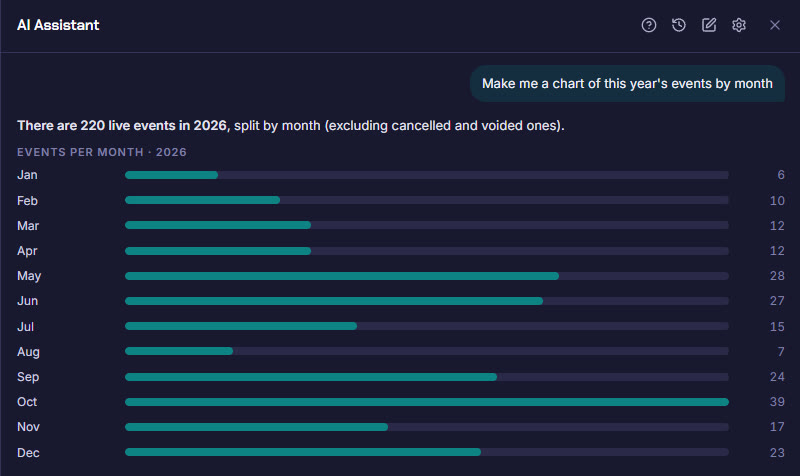
Always to hand in the ERP side panel and in Parker One. It queries any module, creates leads, events and follow-ups, draws charts for you and takes you to the screen you need.
DesktopParker OneChatVoice
  • Events, leads, tastings and surveys
  • Create leads, events, tastings and notes
  • Purchasing, suppliers and due dates
  • Stock, expiring batches and production
  • Dishes, menus and preparations
  • Invoices, payments and cash
  • Charts of your data
  • Open forms and go to any screen
Which events do we have this weekend?Create a lead: wedding on 12 June, 120 guestsWhich batches expire this week?
The general assistant answers with a chart of events per month
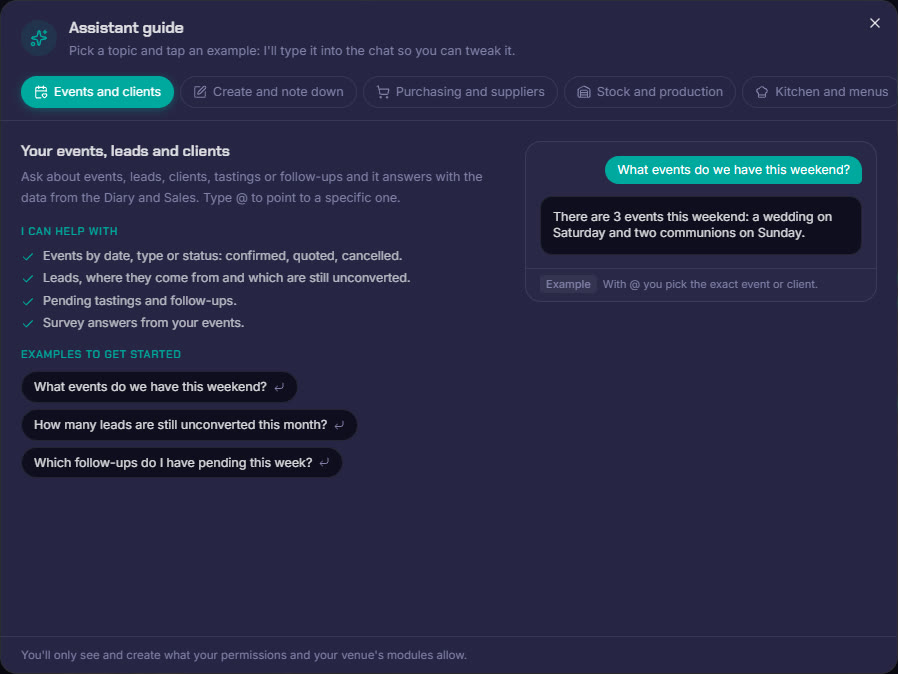
The assistant's guide with its topics and examples
Manual assistant

How did you do this again? Ask on the same screen.

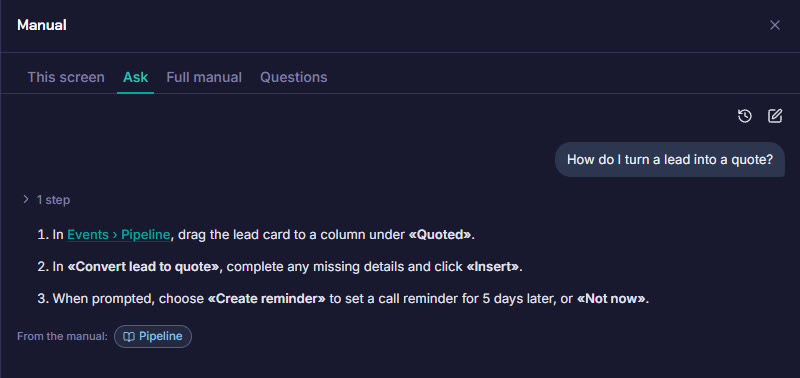
The Parker manual open next to whatever you are doing. You ask and it explains step by step, telling you which part of the manual it comes from. And on every screen, the “Explain it to me” button.
DesktopChatVoice
  • The manual for the screen you are on
  • Step-by-step answers
  • With the manual as the source
  • Training without leaving your work
How do I turn a lead into a quote?
The manual assistant explains step by step how to turn a lead into a quote
Purchasing assistant

Do the shopping by talking. From your phone.

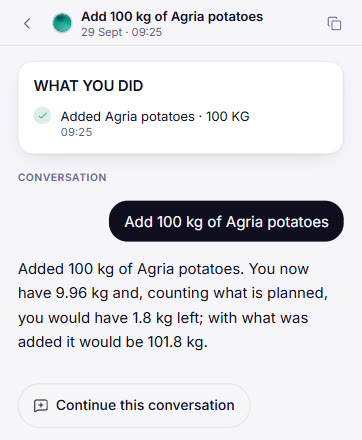
“What are we buying today?”. You tell it what is needed and it adds it to the shopping list with its supplier, its format and its date, compares prices for you and turns it into an order. And it keeps a note of everything you did, so you can undo it if needed.

Parker OneVoiceChat
  • What is pending today
  • Add, change or remove from the list
  • Turn it into an order and send it
  • Who sells it cheapest
  • What is missing for this week's events
  • Supplier details and new suppliers
  • Repeat a previous order
  • Learns what you call each thing
What do we still need to buy for next week's events?Add twenty kilos of Agria potatoes for FridayRepeat the last oil order, but half
Purchasing assistant in Parker One: What are we buying today?
Conversation with the purchasing assistant and what it has done
Kitchen assistant

You dictate the recipe. Parker costs it.

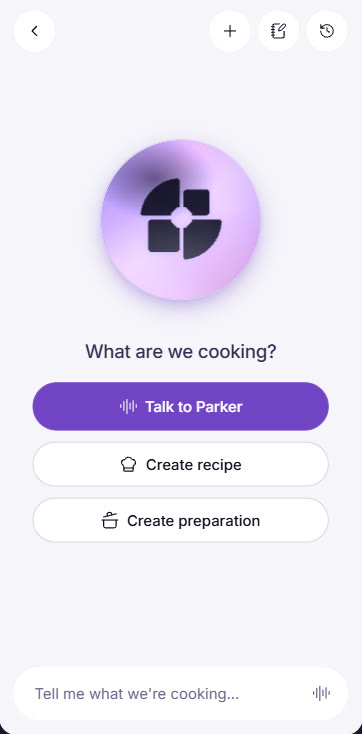
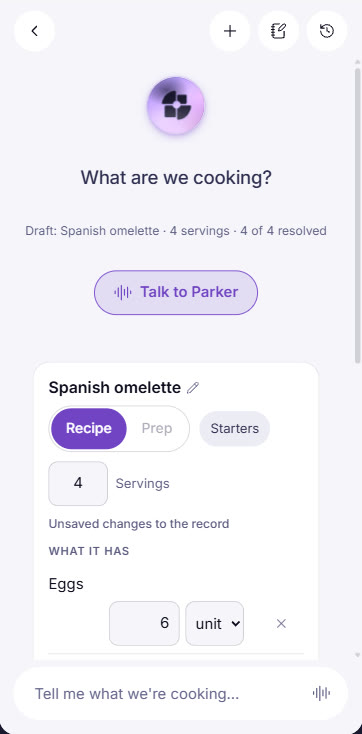
“What are we cooking?”. The head chef dictates the recipe or the preparation, and the assistant builds it with its quantities and finds each ingredient in your catalogue. If something doesn't exist, it offers to add it. It stays as a draft until the kitchen reviews it.
Parker OneVoiceChat
  • Recipes and preparations by voice
  • Portions and quantities
  • Ingredients from your catalogue
  • Adding new ingredients
  • Drafts for review
  • Moving the draft into the recipe book
Crema catalana for eight portions…
Kitchen assistant in Parker One: What are we cooking?
Recipe draft prepared by the kitchen assistant
Stock count assistant

Count the warehouse out loud.

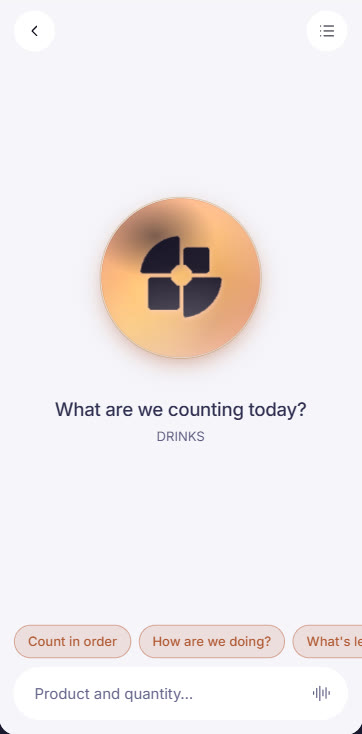
No paper and no spreadsheets. You choose the warehouse, say the product and quantity as you walk round the cold room, and the assistant records it in the stock count. It tells you how you are doing, what is left and guides you zone by zone.
Parker OneVoice
  • Count in order
  • How are we doing?
  • What's left?
  • Next zone
  • Undo the last one
  • What did I say?
Twelve boxes of tonic in zone two
Voice stock count with the stock count assistant
Documents assistant

Delivery notes read themselves.

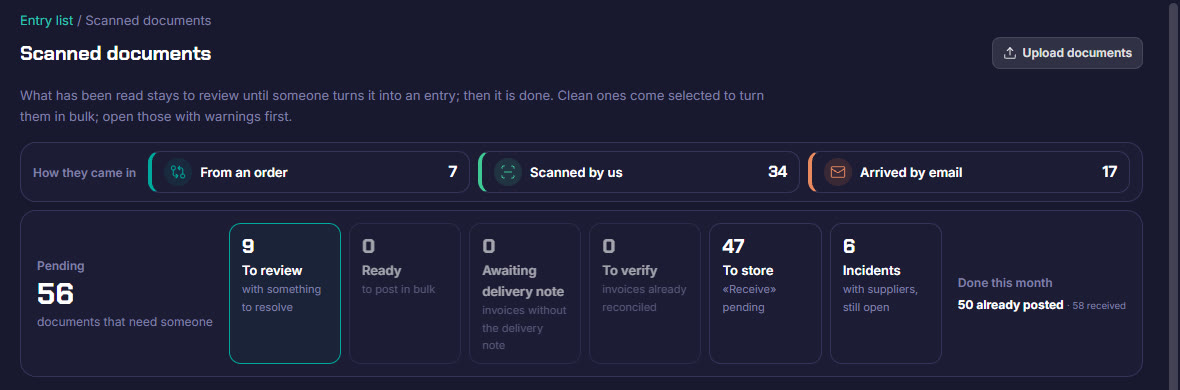
A photo, a scanned PDF or the supplier's email: the assistant reads the delivery note or invoice, recognises the supplier, matches it against the order and suggests the entry. You only review what doesn't add up.
Parker OneDesktopEmail
  • Supplier delivery notes and invoices
  • Matching against the order
  • Batches scanned in parts
  • Client documentation
  • Clean ones, in bulk
  • Handwritten notes flagged separately
Scanned documents: a delivery note or invoice without an order is read and opened for review
Sales assistant

Three proposals in minutes. Built on what you have already sold well.

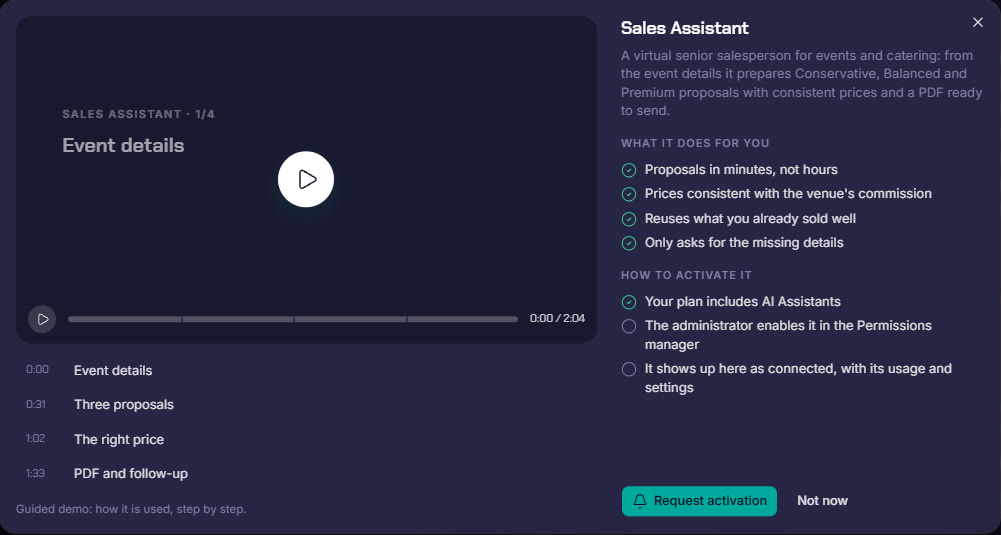
A virtual senior salesperson for events and catering. With the event details it prepares three proposals, conservative, balanced and premium, based on your real success stories, with consistent prices and the PDF ready to send. And it replies to leads.
DesktopEmailWhatsApp
  • Proposals in minutes, not hours
  • Conservative, balanced and premium
  • Prices consistent with the venue's commission
  • Reuses what you have already sold well
  • Asks only for the missing details
  • PDF and follow-up
Guided demo of the sales assistant
And also

Making up the ten.

Load sheetsPrepares and checks what goes out to the event in each load.
AllergensReviews the allergens in recipes and menus and flags anything still to be declared.
Payslip readingReads payslips and leaves the entry ready in Finance.
Under control

All your assistants, in one dashboard.

Which assistants you have connected, who uses them, how much they consume and how they work.

Usage with a capEach assistant's monthly spend, with a cap for the group that you set.
Use and activitySessions, calls and documents for each assistant, and who uses them.
By permissionsSwitched on person by person from the permissions manager.
How it works, on videoEach assistant with its own guided demo, step by step.
Parker Solutions · Your technology partner

With separate tools you pay several subscriptions and your data never connects. With Parker, everything is in one place.

One single toolOne single databaseAll your departments connectedAll your information up to date, in real time
Why one ERP and one partner →

Put AI to work inside your business.

Your consultant shows you the assistants with your own data.

Get your proposal Already a client · Add modules