Module · Purchasing

Buy just what you need, at the agreed price.
Without typing anything twice.

Your shopping list comes from your events, your production and your stock. The order reaches the supplier, what is received goes into the warehouse with its batch and the delivery note moves on to Finance, all in the same place. For one venue or for the whole group, with centralised purchasing.
Get your proposal The purchasing cycle
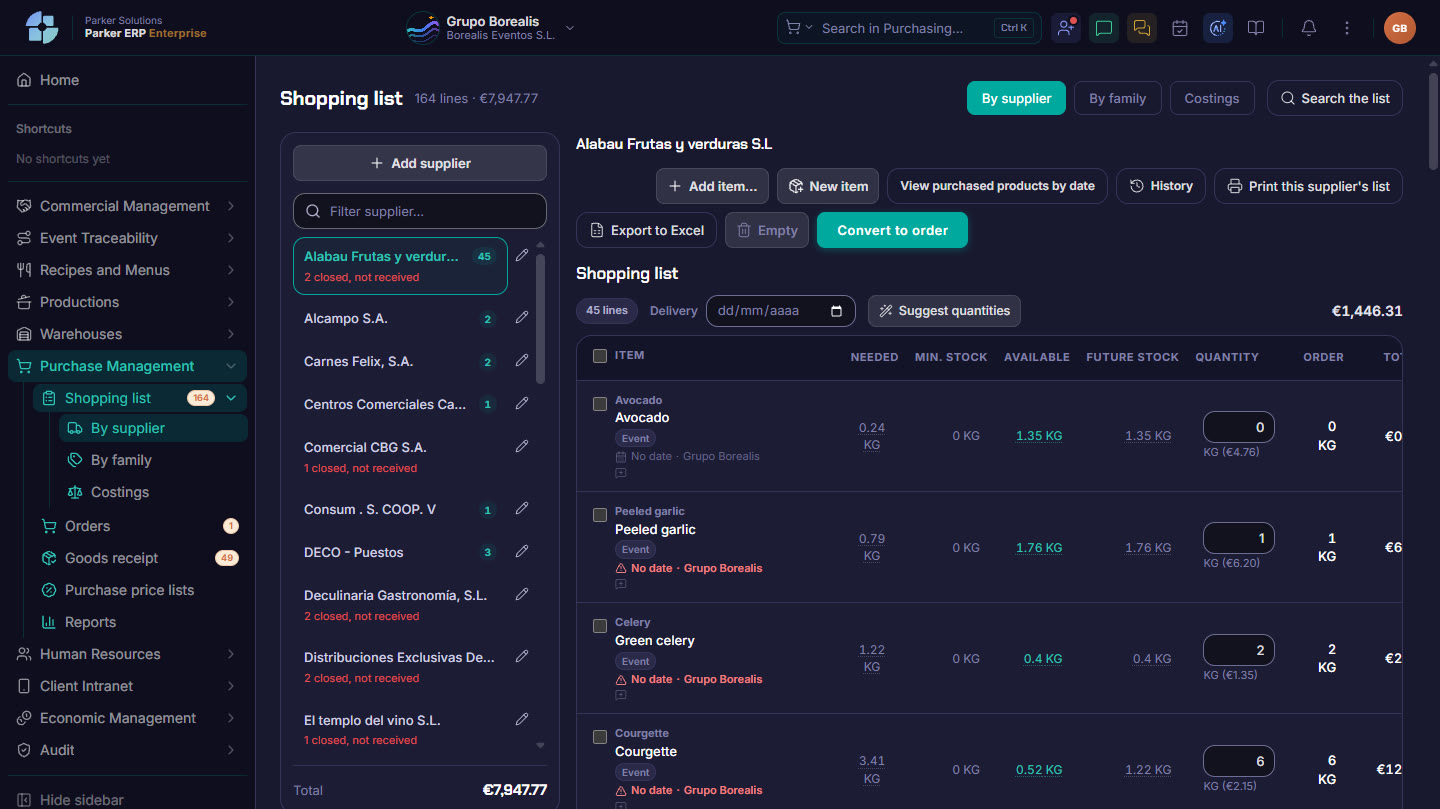
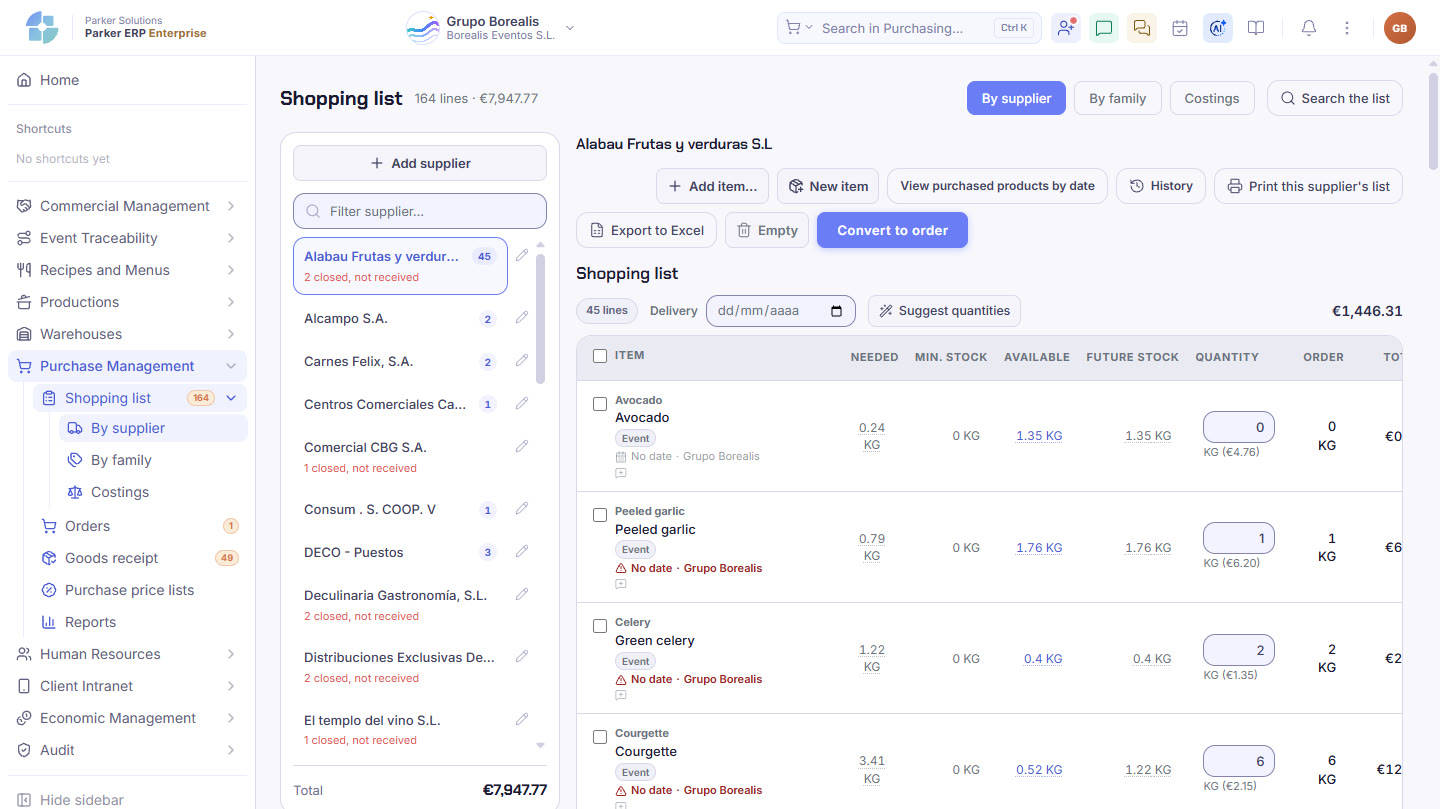
Parker screenshot: the shopping list by supplier, with requirement, stock and suggested quantity.
The shopping list by supplier, with requirement, stock and suggested quantity. Real Parker screenshot with demo data.
The purchasing cycle

From what is missing to the invoice, in five steps.

Tap each step.

The shopping list

You know how much to order. And why.

Each line shows where the requirement comes from: the dishes in your events, production, minimum stock or something someone added by hand.

Three ways to build itSupplier by supplier, by product family or from the calendar of events, production runs and menu tastings, calculated from the recipes of their dishes.
By supplierBy familyBy event (recipe costing)
Requirement, stock and future stockFor each item: what is needed, the minimum stock, what is available and what there will be. And Parker suggests the quantities for you.
Cheaper or equivalentYou swap the supplier or the item on a line for another brand or format, with each one’s price list in view.
No need to note it down againYou bring back a previous list or what was bought in the last few days, and check whether something has already been ordered before repeating it.
Hire linked to the eventHired tables, tableware or marquees, ordered for the events that use them, so their cost counts towards each one.
Orders and receiving

The supplier confirms. You only look at what does not match.

The order goes out by email with its PDF and a button for the supplier to confirm. When it arrives, you receive it with its batches and expiry dates.

Orders by supplier, date and locationOne for each supplier, date and delivery venue, with tags such as “urgent” or “event”, in PDF or Excel.
Receiving with food safety checksQuantities, prices, batches, expiry dates and issues (short, over, poor condition or a different price), with their checks.
Order against delivery noteYou take a photo of the delivery note, Parker reads it and matches it against the order, and the receipt is filled in.
Scanned documentsDelivery notes and invoices without an order, as PDFs from email or the scanner or as photos of the paper: they are read automatically and ready to review and send to Finance.
Prices

What was agreed, kept in check.

Price lists by supplier and by raw material, and alerts when a price goes up or down more than you want.

Purchase price listsWhat you buy from each supplier and at what price, valid on a given date, with its minimum quantity, its discount and the last purchase. And what each supplier charges for the same raw material.
Price change alertsYou decide the percentage at which a rise or a drop deserves an alert, by raw material or by family. And if the supplier brings new prices, you save them straight from receiving.
ReportsPurchases by raw material and by supplier, price changes purchase by purchase, and orders against invoicing.
On your phone

Today’s purchasing, in your pocket.

In Parker One, whoever does the buying sees at a glance how the day looks and works from the loading bay or the dry store.

Purchasing todayWhat is on the list and what is still missing, with the day’s alerts:
Late orders
Orders arriving today
Orders not sent
Items below minimum
List, orders and receivingThe shopping list, orders and receiving of what arrives, from your phone.
Document scanning and voice assistantYou take a photo of a delivery note or an invoice and it is read automatically. And you tell the purchasing assistant what is needed: it prepares it and you confirm.
Connected

What you sell decides what you buy.

Purchasing reads the menus for events and production, puts what is received into the warehouse, tells the sales team how a shortfall is being covered and sends delivery notes to Finance.

Recipes & Menus Sales & CRM Production Warehouses Finance Purchasing assistant
Parker Solutions · Your technology partner

With separate tools you pay several subscriptions and your data never connects. With Parker, everything is in one place.

One single toolOne single databaseAll your departments connectedAll your information up to date, in real time
Why one ERP and one partner →

Buy just what you need, at the agreed price.

Your consultant shows you what the purchasing for your next week of events would look like.

Get your proposal Already a client · Add modules