Module · Client intranet

Your client manages their event.
Your team sees it in real time.

A space with your brand, on desktop and on mobile, where the couple or the company run their event from start to finish, in full detail. Every decision they make reaches your team instantly, and Parker keeps reminding them of what you need from them at each stage.

Get your proposal Weddings and celebrations Corporate events
Why it's different

Your client works with you. Without even noticing.

Calls, emails and spreadsheets become something your client completes in their intranet. And your team receives it already organised.

01Your client closes it, in their own timeGuests, menu, decoration, timings or headcounts: your client completes them and marks them as final. Each section explains what you need in order to move forward.
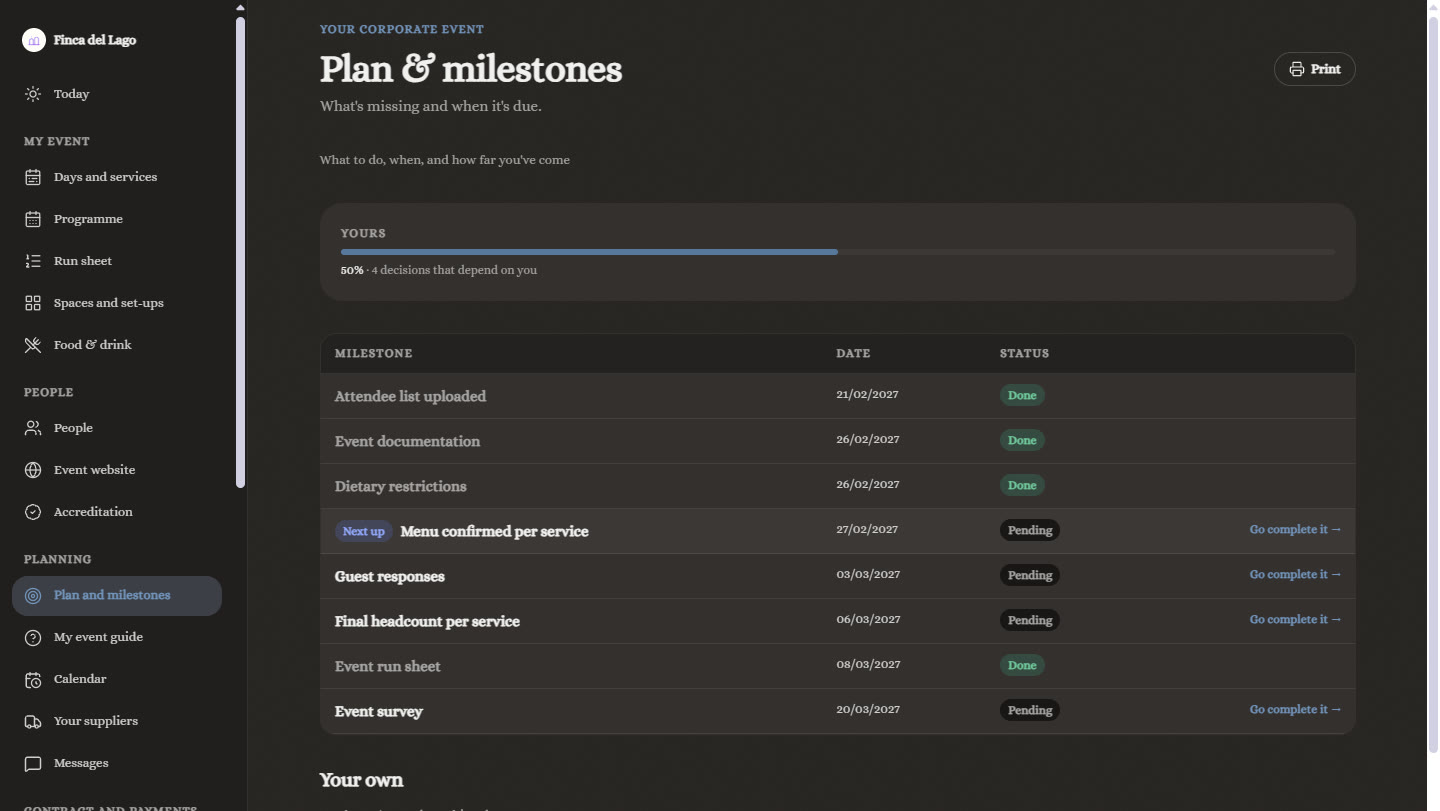
02Everyone knows where things standA plan with deadlines and progress that both your client and your team can see. What's due, what's missing and what's done, without chasing anyone.
03What they write arrives instantlyEvery change goes into the ERP: sales sees it, the kitchen has it in its order, the warehouse books equipment and staffing is adjusted. Real-time feedback.
Two intranets, not one

A wedding isn't organised like a conference.

That's why Parker has one intranet for weddings and celebrations and another for corporate events, each with its own way of working.

Weddings, communions, christenings and celebrations

Their wedding, in their pocket.
And in your ERP.

The couple have their day in view: the countdown, their guests, their menu, their decoration and the running order of their day. Everything they choose reaches your team with its deadline and status.

TodayGuestsMenuMessagesMore
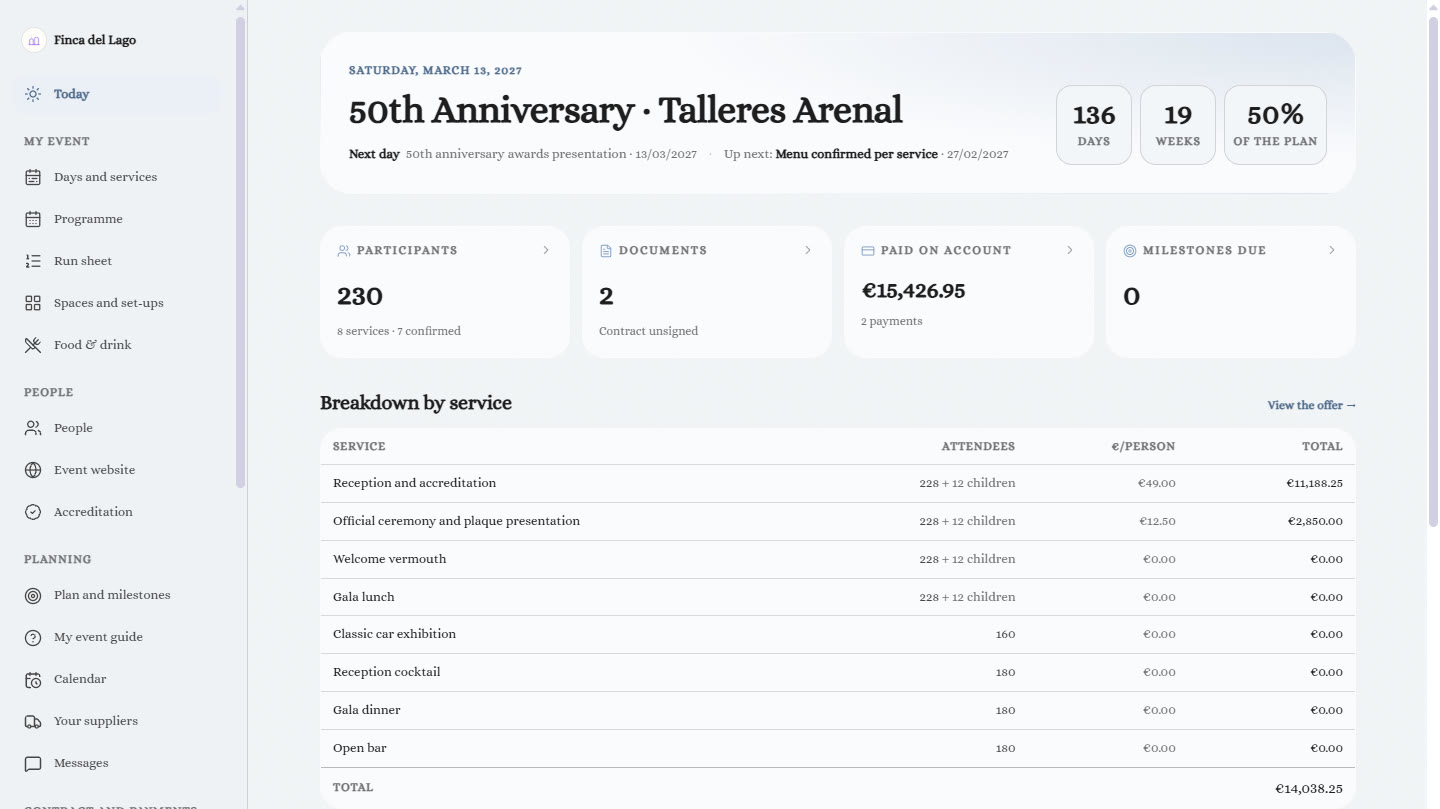
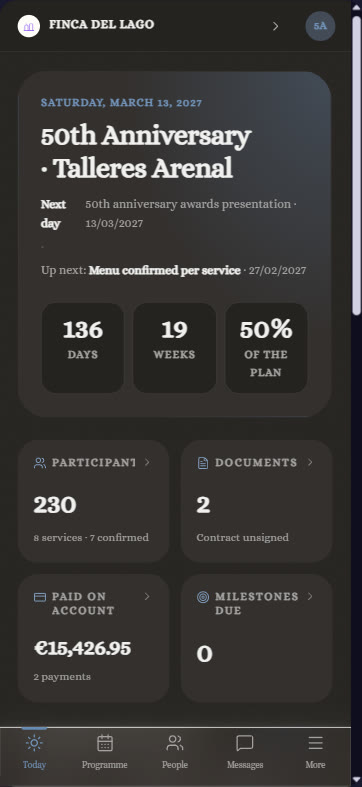
Client intranet: Today. The countdown, guests, documents and messages.
TodayThe countdown, guests, documents and messages.
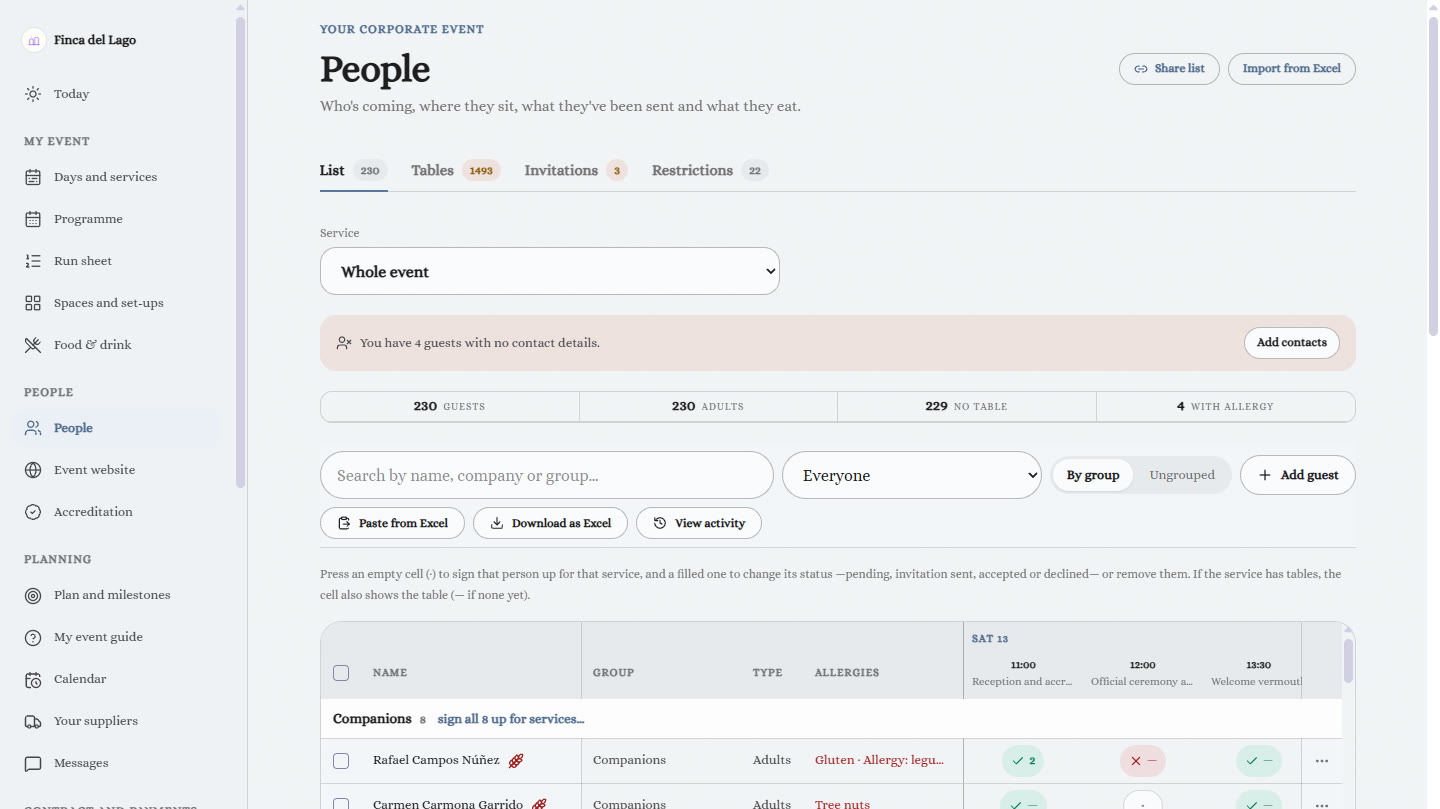
Client intranet: My guests. RSVPs, children, high chairs, allergies and coaches.
My guestsRSVPs, children, high chairs, allergies and coaches.
Client intranet: Menu. The menu and services with their price, dish by dish.
MenuThe menu and services with their price, dish by dish.
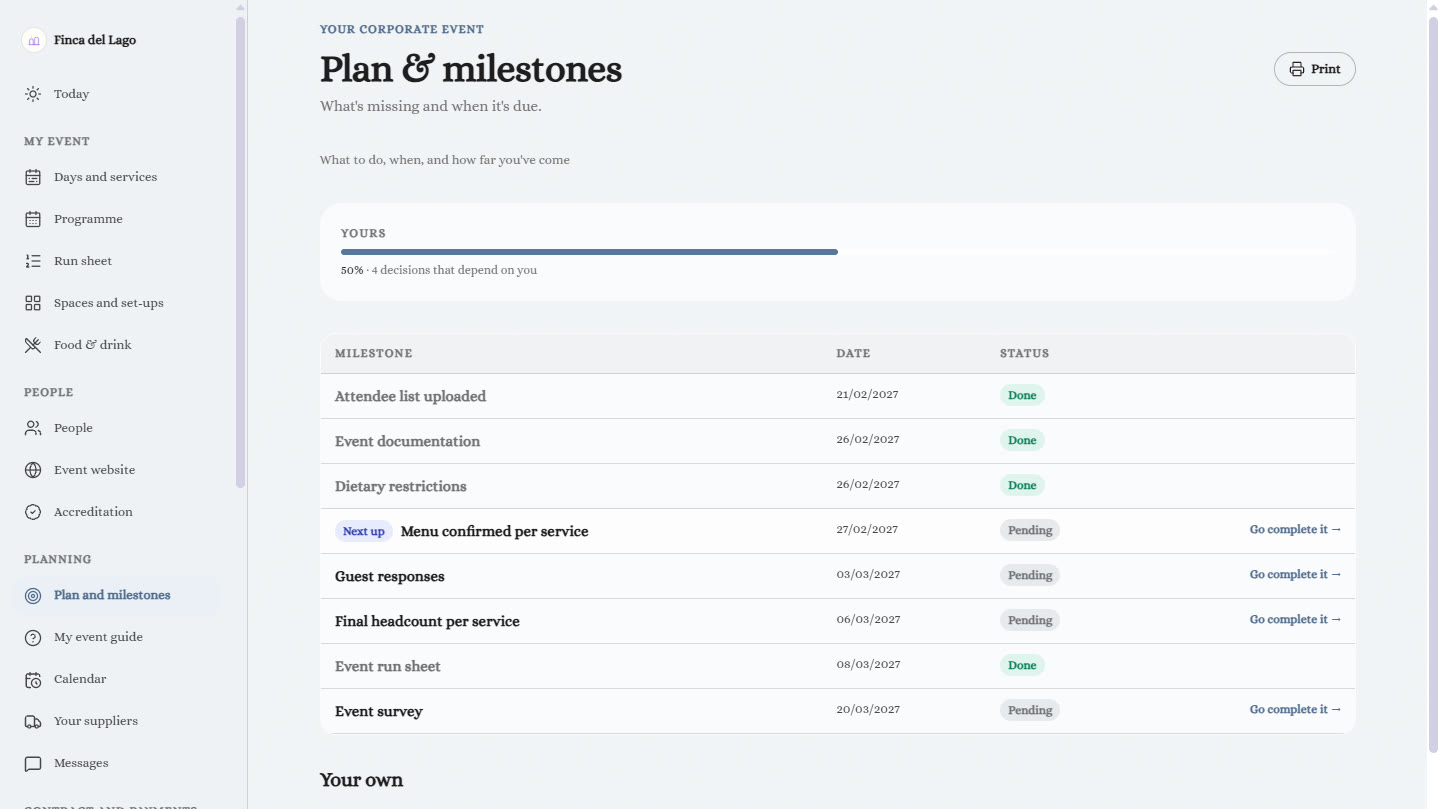
Client intranet: Event plan. What needs doing and by when, with progress.
Event planWhat needs doing and by when, with progress.
Client intranet: Invitation. The mini-site their guests see.
InvitationThe mini-site their guests see.

Real screenshots of the intranet for a demo event.

"Mark as final"

Each section gets closed. And says what it unlocks.

Until the couple close it, the section reminds them why you need it.

GuestsUntil it's closed, there's no guest count and no table allocation.
MenuUntil it's closed, the price isn't final and the kitchen can't plan.
Menu tastingUntil it's closed, the room isn't booked and the produce isn't bought.
DecorationUntil it's closed, the pieces aren't reserved and the set-up isn't prepared.
TimingUntil it's closed, there's no service sheet and no staffing plan.
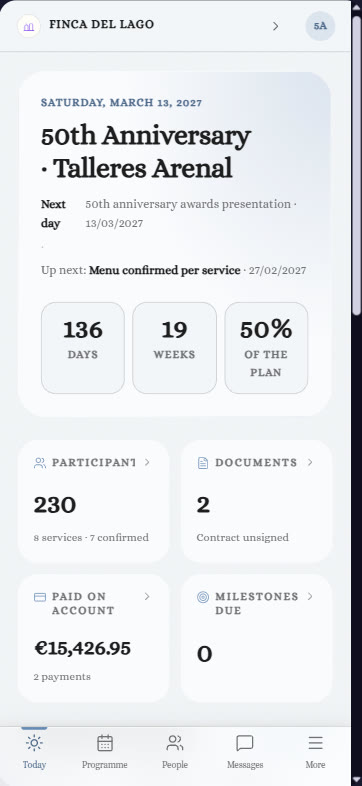
TodayThe countdown to their day, confirmed guests, documents and messages, what's been booked, the event plan with what's due, the pro forma, upcoming payments and upcoming milestones.
Event planWhat needs doing and by when: what they do with you and their own tasks, with progress.
My guestsRSVPs, adults, children, babies and high chairs, allergies, coaches, table plan, invitations and gifts.
Menu and menu tastingThey choose the menu and services with their price, dish by dish. And they prepare their tasting: who's coming and what they want to try.
DecorationsBy moment (ceremony, cocktails, banquet hall and party), with their packs and any pieces they want to add.
Timing of the dayThey write down each moment: ceremony, speeches, cake, music, late-night snack or coaches. Your sales team sees it as soon as they write it and sets the times.
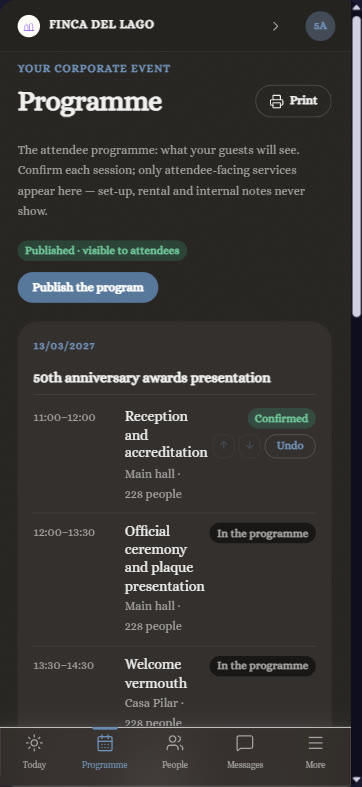
Menu card, seating and mini-siteThey choose the design of the menu card and seating plan using their real data, and they have the invitation their guests see.
Messages, calendar and suppliersThey talk to your team, see their appointments and payments, and keep their own suppliers (photography, flowers, make-up…) alongside yours.
Documents and paymentsContracts to sign from their phone, what's been signed, what's pending payment and payments on account.
Meanwhile, in your ERP

Your team knows where every event stands.
Without calling the client.

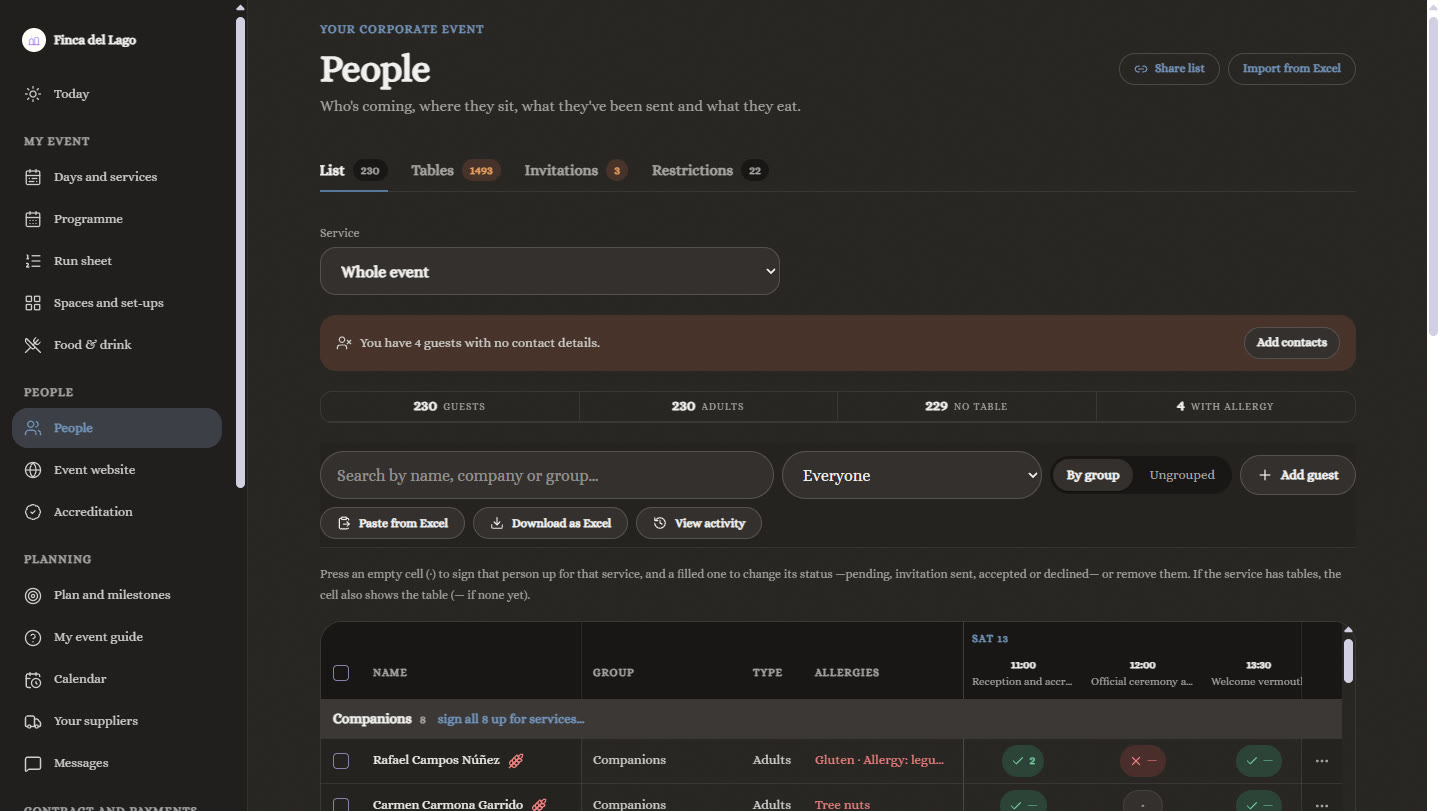
Every event has its plan, with your team's tasks and the client's together. What the client completes in their intranet ticks off milestones automatically, closes sections on their date and reminds them of what's missing.

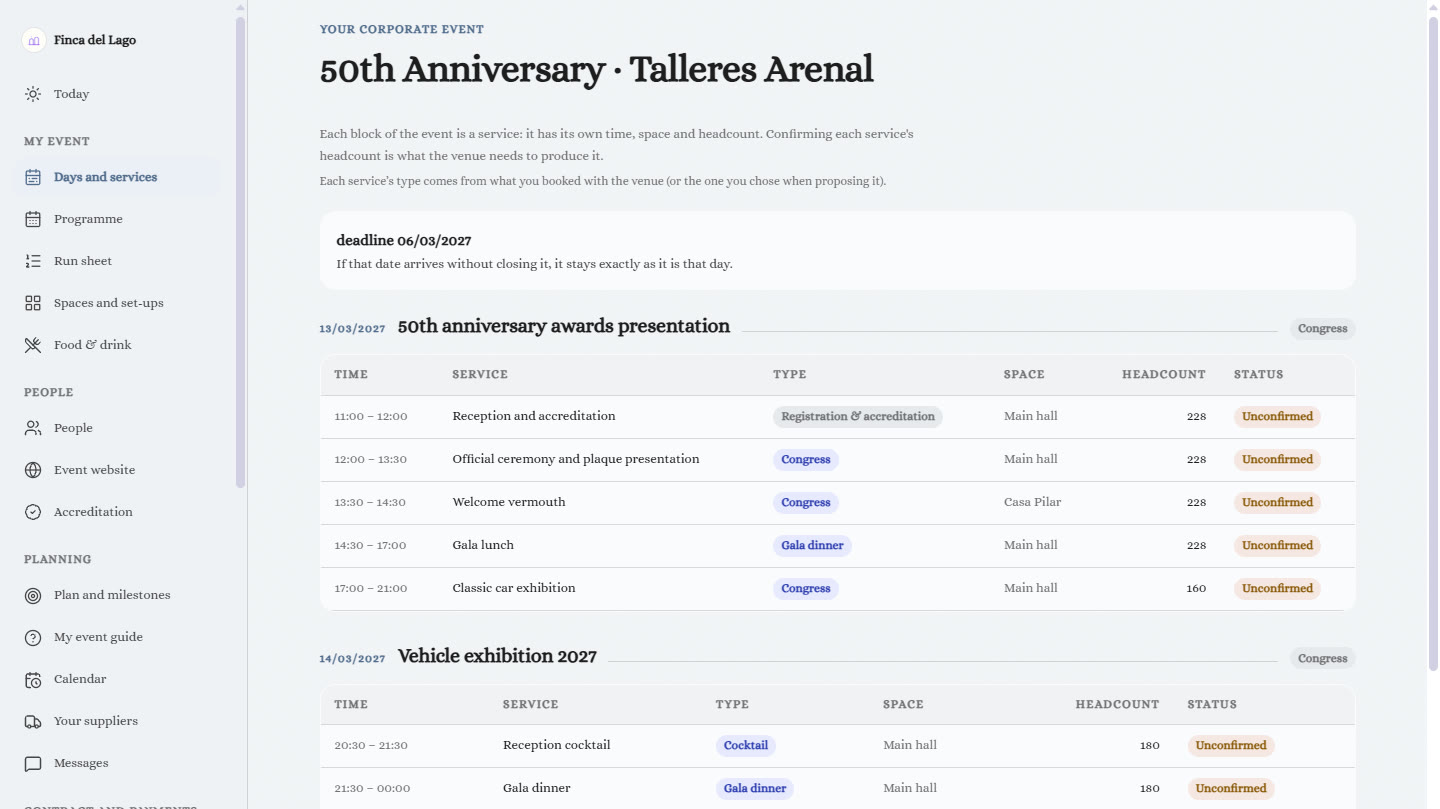
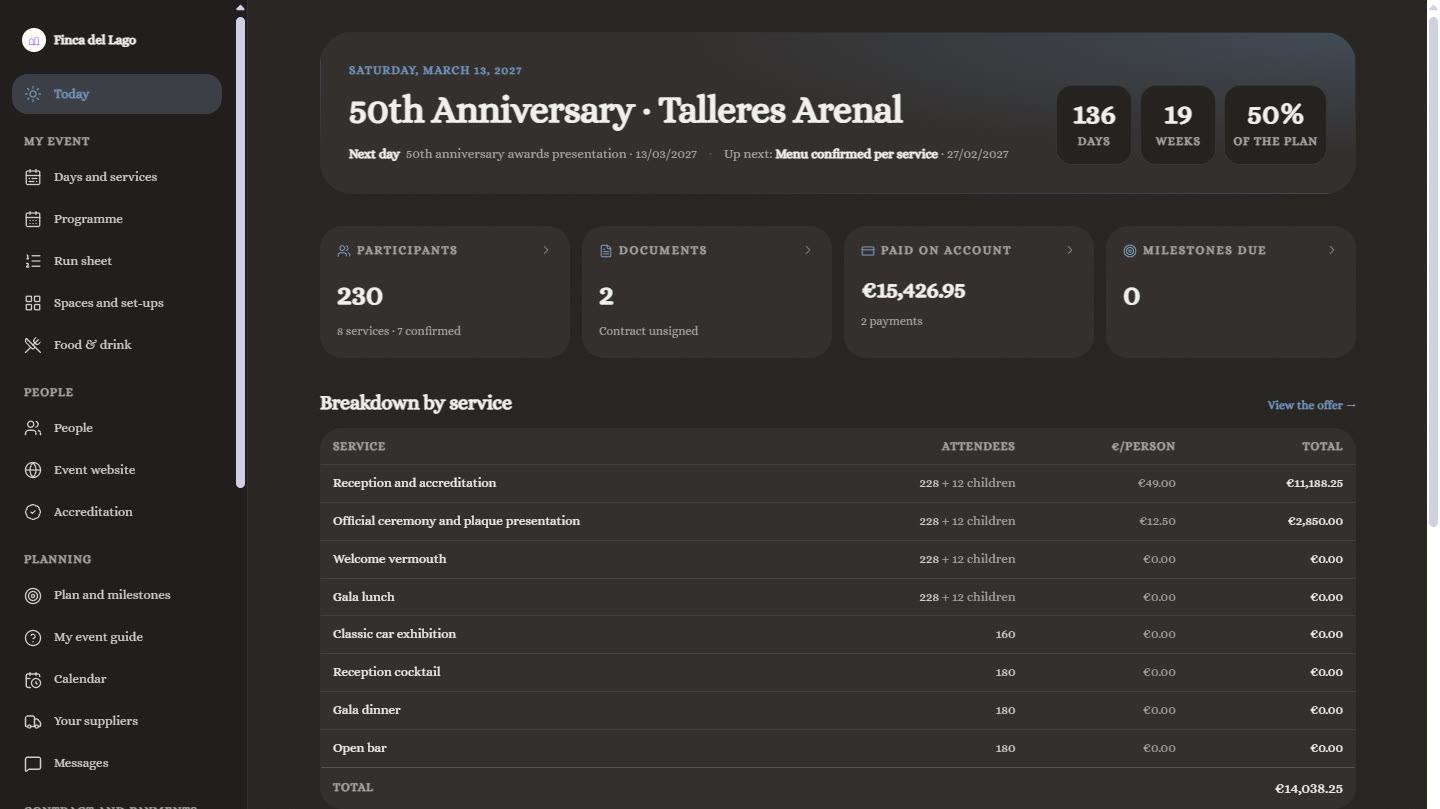
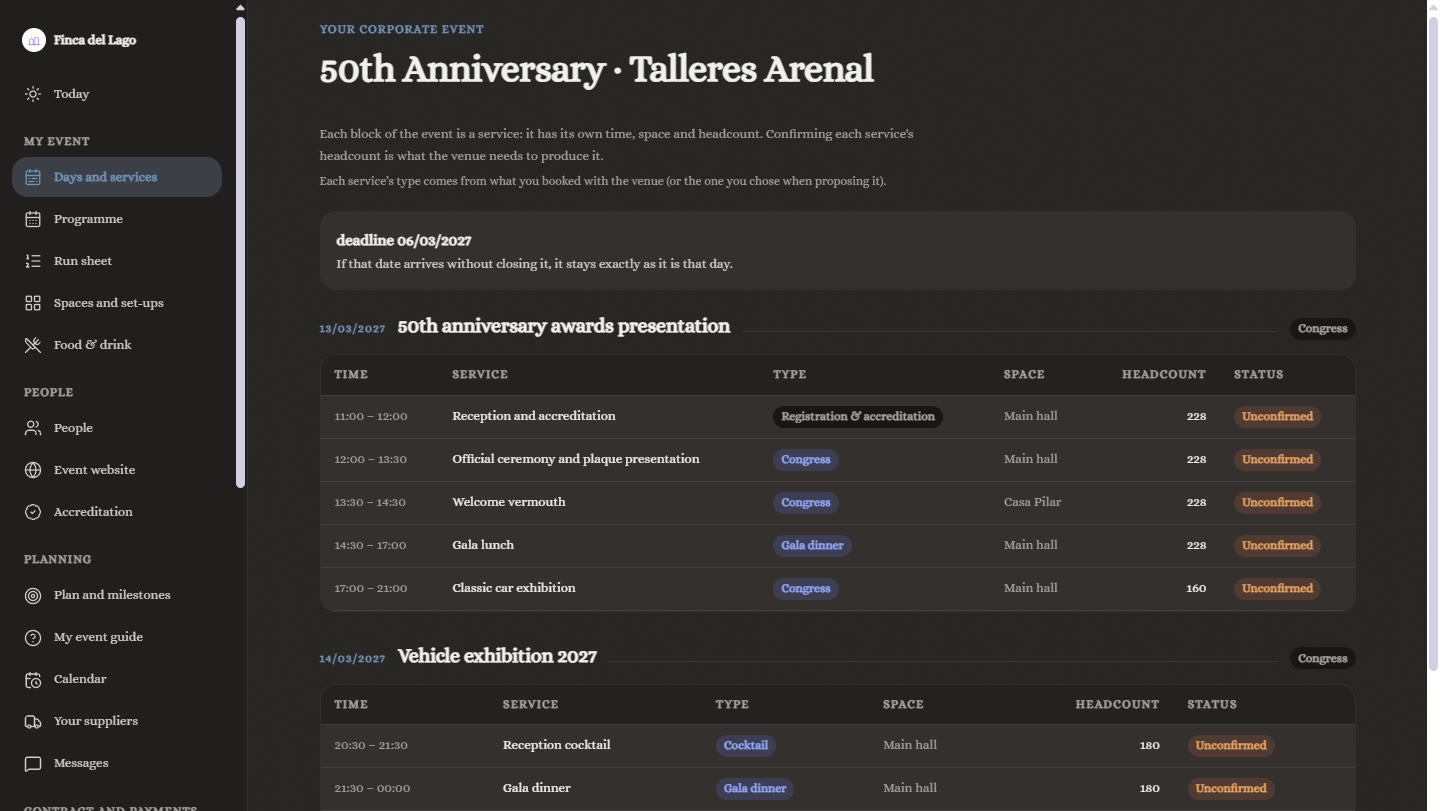
Milestones that tick themselves offWhen the couple choose their menu, confirm their allergies or close their list, or when the company confirms attendees for each service, the matching milestone is ticked off automatically and the next step gets going: sending the menus to the kitchen, confirming headcounts with production or chasing the guests who haven't replied.
Client and team progressThe plan's percentage, with what's down to the client and what's down to you, and what needs doing now, later or has no date yet.
Sections that close on their dateMenu tasting, menu, decoration, guests or timing close on a set date or a few days after a milestone. And your team can reopen them.
Automatic reminders to the clientReminders go out on their own at the right moment, in order, and you can turn each one on or off or edit it.
Real-time activityEverything the client does is logged and reaches the right person, with a "seen" mark. And every change to a section is kept in its history.
Proposals and requestsWhat the client proposes (an appointment, a service, a change of set-up or menu) comes in as a request. Your team accepts it and it's applied to the event.
Payments, in viewThe pro forma, payment instalments, what's been collected and what's outstanding, also in the event plan.
Client viewFrom the event record, your team sees the event exactly as the client sees it in their intranet.
With your brand

Your venue, on your client's screen.

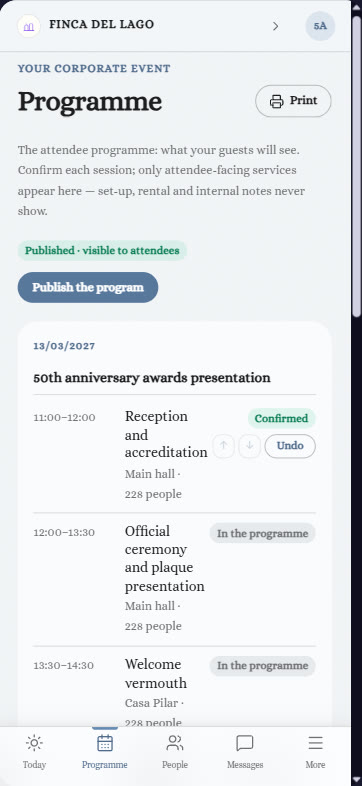
With your logo, your website, your spaces, your blog and your gallery. On desktop and on mobile, in light or dark mode and in several languages. And you decide which sections each type of event sees.

Sales & CRM Recipes & Menus Event traceability Human Resources Corporate events
Parker Solutions · Your technology partner

With separate tools you pay several subscriptions and your data never connects. With Parker, everything is in one place.

One single toolOne single databaseAll your departments connectedAll your information up to date, in real time
Why one ERP and one partner →

Let your client work with you.

Your consultant shows you the intranet for a wedding and for a company event, with your brand.

Get your proposal Already a client · Add modules