Module · Production

Your kitchen’s work schedule.
With every batch traced.

What needs preparing, how much, by when and who is in charge. Parker adds up what your events require, deducts what you already have in the warehouse and records which batches went into each preparation and where it was stored.
Get your proposal Produce for your events
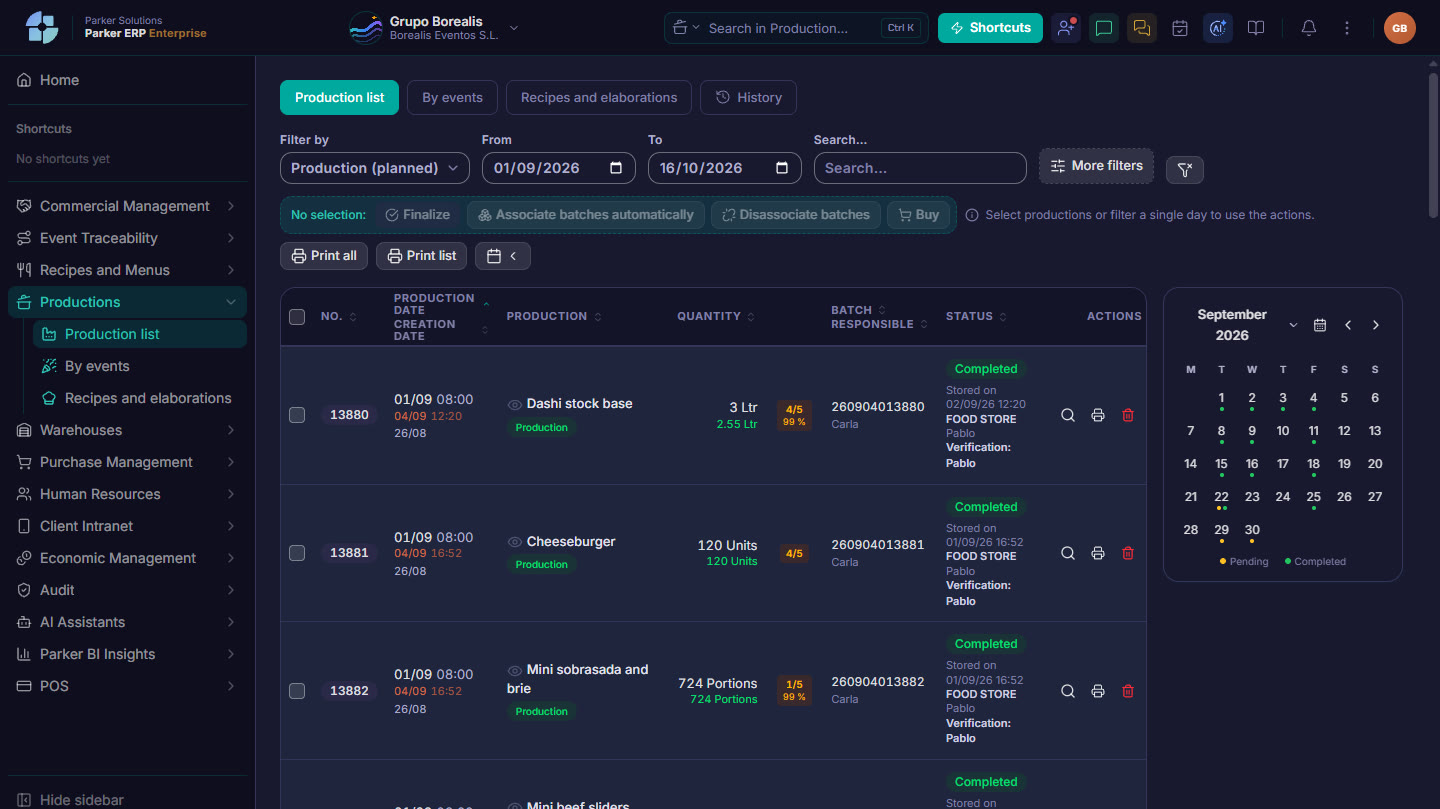
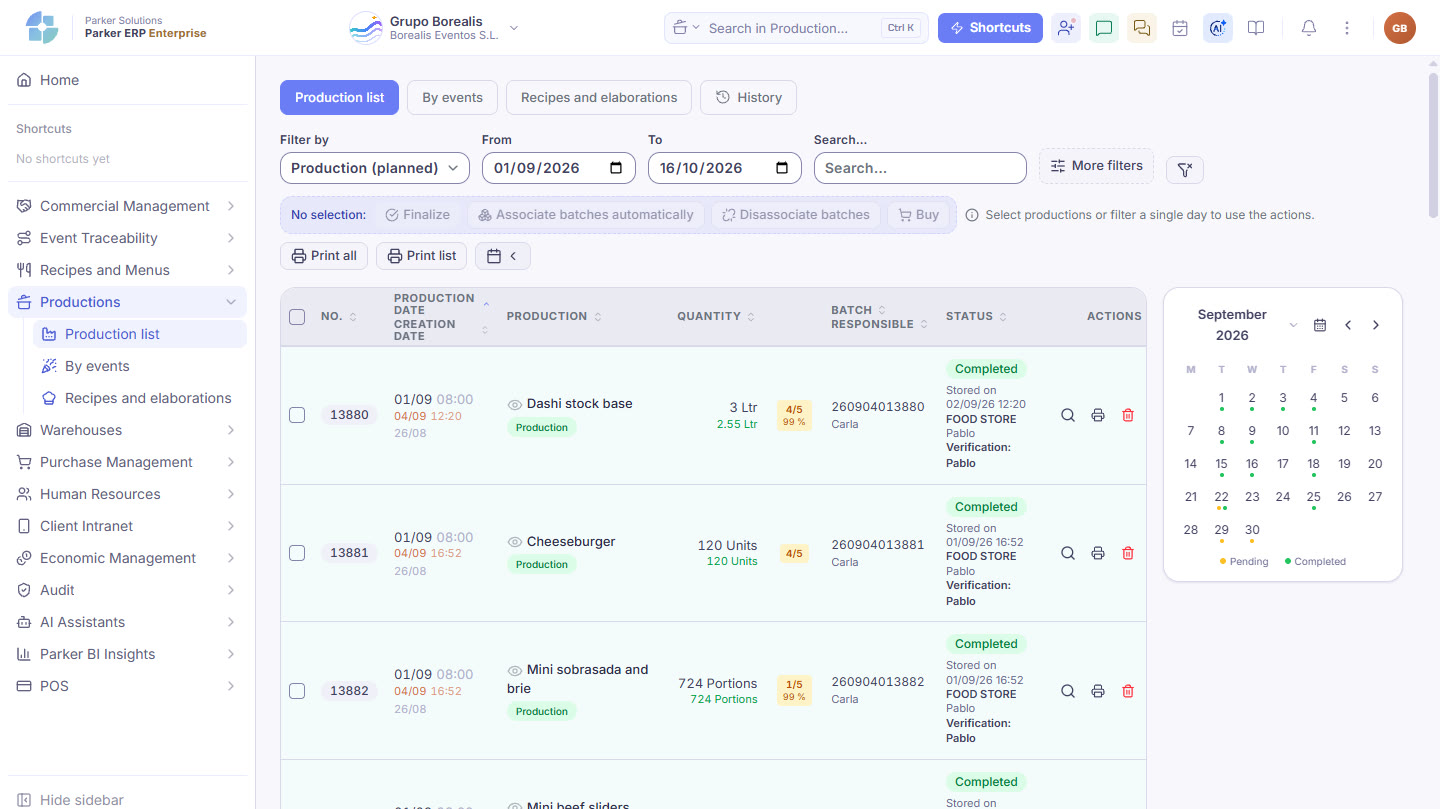
Parker screenshot: the list of production runs, with their batch, their status and the month’s calendar.
The list of production runs, with their batch, their status and the month’s calendar. Real Parker screenshot with demo data.
By event

Every event in the period. A single production run.

Weddings, conferences, company lunches and menu tastings: you gather the confirmed events and the production assistant works out everything that needs doing in one go.

1RecipesIt adds up the dishes from every event in the schedule, with their portions, which you can adjust event by event.
2PreparationsIt breaks each recipe down into its semi-finished preparations and deducts what is already in the warehouse.
3SummaryIt launches all the missing production runs at once, with date, time and person in charge.

With the events schedule (and which ones already have their menu locked), the calendar of contracted events and tastings, the kitchen order and the documents for each event, without leaving Production.

The journey of a production run

From the order to the warehouse, without losing track.

Tap each step.

The kitchen day

When you open it, today’s work.

The list opens with the day’s production runs, and the calendar shows you which days have work pending or done.

Production listWith quantity, person in charge, status and whether batches have been assigned. You search by preparation, person in charge or batch, and work on several at once.
Batch coverage at a glanceEach production run shows how many lines have a batch:
No linesA batch is missingAll covered
Production and finishingThe bases made in advance and what is finished on the day of the event, with the semi-finished preparations linked to the production run that needs them.
Outside events

Topping up a base or getting ahead, too.

Not everything comes from an event. You launch a preparation or the semi-finished preparations for a recipe by hand, whenever you need to.

Preparations and recipesEverything your kitchen can produce, grouped by family. You enter the quantity and launch it with date, time and person in charge.
Standalone labelsYou print labels for a preparation with its batch, storage conditions and expiry date, even without a production run behind it.
Purchasing and printouts

What is missing goes to purchasing. And the kitchen paperwork is ready.

Production tells purchasing what needs ordering and prints the documents your team uses in the kitchen.

Send to the shopping listThe raw materials that production runs need and that do not yet have a batch, after deducting stock, go straight to the shopping list.
Working documentsTechnical sheet, production sheet for signing, labels for containers and picking by warehouse, in PDF.
Event documentsShopping list per event or for the whole schedule, allergens and special menus report, and list of menu tastings.
HistoryDeleted production runs are kept: what they were, when they were deleted and who did it.
Connected

From recipe to plated dish, with the same batch.

Production reads recipes and events, moves warehouse stock and records the batches that Event traceability uses to know what was served at each event.

Recipes & Menus Sales & CRM Warehouses Purchasing Event traceability
Parker Solutions · Your technology partner

With separate tools you pay several subscriptions and your data never connects. With Parker, everything is in one place.

One single toolOne single databaseAll your departments connectedAll your information up to date, in real time
Why one ERP and one partner →

Your kitchen, organised event by event.

Your consultant shows you how your kitchen would plan next week’s production.

Get your proposal Already a client · Add modules